Let AI draft. Let a person send.
The safest useful way to bring AI into customer email: it writes the first version, and someone who knows the customer decides what goes out.
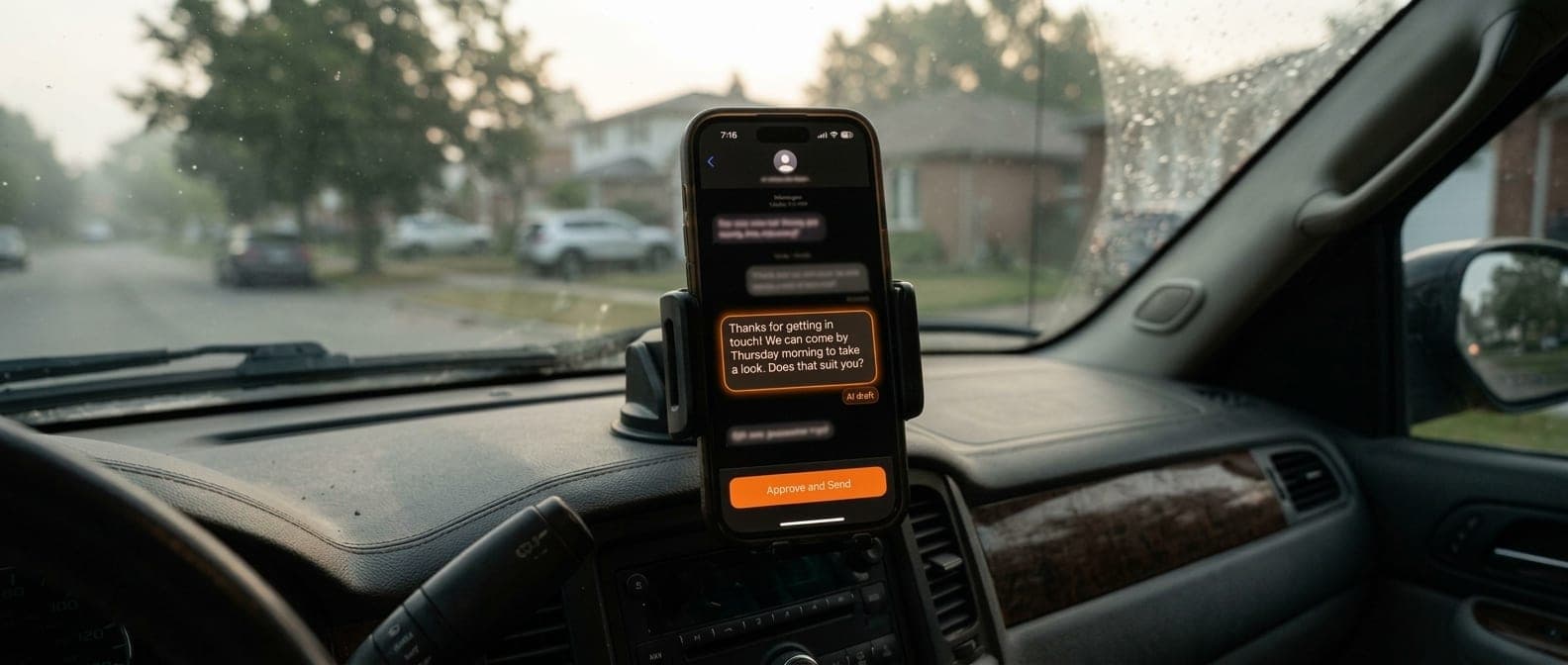 Demonstration
If there's one place most small businesses can save time with AI, it's the inbox. Enquiries, quote requests, “are you open Saturday?”, “where's my order?”. Much of it follows a pattern, and much of it waits hours for someone to get to it.
The tempting move is to let a tool answer everything on its own. The better move is to let it draft.
What drafting looks like
A message arrives, and a draft reply is waiting beside it before anyone opens it: written in your voice, using your own information, like your hours, your services and the areas you cover. Someone reads it, fixes what's wrong, adds what only they know, and sends it. A reply that took a while to write now takes a careful read.
Why a person should still press send
- AI is sometimes confidently wrong. It can offer a discount you don't give or a date you can't make, and it sounds just as sure as when it's right.
- Your customers are talking to you. A person reading each reply keeps the tone yours, and spots the message that really needs a phone call instead.
- You keep learning what's coming in. The person sending replies notices the same complaint three times in a week. A tool left alone won't mention it.
- Mistakes stay private. A bad draft that gets fixed costs nothing. A bad reply that went out can cost a customer.
What to set up first
- Your facts in one place: hours, services, areas, policies and the answers you give most often. The drafts are only as good as this.
- Your voice: a handful of real replies you were happy with, so drafts sound like you and not like a call centre.
- A clear edge: which messages get a draft, and which go straight to a person untouched, such as complaints, anything legal and anything about money owed.
- Accounts the business owns, so the drafts, the facts and the history stay with you.
How you'll know it's working
Measure the same two things before and after: how long customers wait for a first reply, and how much of the day the inbox takes. If both go down and the replies still sound like you, it's working. If people start sending drafts without reading them, it's time to look again.
This is the kind of job AI Solutions is built for: useful early, measured in your own numbers, with a person in charge of every message. If you already know it's what you want, the free 20-minute AI Fit Call can go straight to scoping it and giving you a price.